Understanding Affinity Software: A Designer's Guide
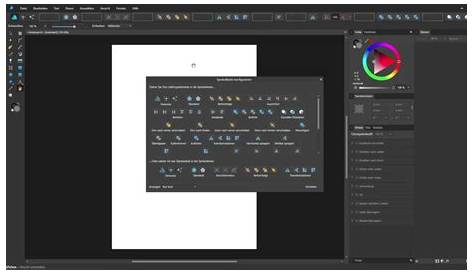
Affinity software is a suite of professional design tools, including Affinity Designer, Affinity Photo, and Affinity Publisher, that serves as a robust alternative to Adobe products. Unlike Adobe’s subscription model, Affinity operates on a one-time purchase basis, making it a budget-friendly option for graphic designers. This guide will explore what Affinity is, how it compares to Adobe, its standout features, tips for transitioning your existing projects, and resources for getting started.
What exactly is Affinity software and who is it for?
Affinity software is a collection of graphic design applications developed by Serif, tailored for both professionals and enthusiasts. It includes Affinity Designer for vector graphics, Affinity Photo for raster images, and Affinity Publisher for desktop publishing. These tools cater to a diverse range of users—graphic designers, illustrators, photographers, and publishers—looking for high-quality design solutions without ongoing subscription costs. Affinity is particularly appealing to those who value performance and flexibility, offering a rich set of features suitable for various project complexities.
How does Affinity stack up against Adobe products?
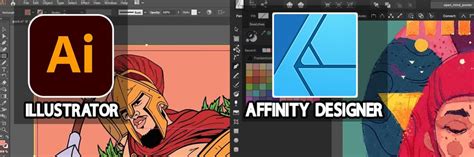
When comparing Affinity to Adobe products like Illustrator, Photoshop, and InDesign, the pricing structure is a key difference. Affinity operates on a one-time purchase model, typically ranging from $49.99 to $69.99 per app, while Adobe generally requires a monthly subscription that can become costly. Feature-wise, Affinity has made significant strides in matching Adobe’s capabilities, providing tools for both vector and raster graphics alongside robust publishing features. However, some users may find Adobe’s ecosystem—where applications integrate seamlessly—more convenient, especially if they rely on multiple Adobe products. Nonetheless, Affinity is gaining recognition for its competitive features and performance, making it a viable choice for many designers.
What unique features does Affinity offer that can enhance my design work?
Affinity software includes several unique features that can enhance your design workflow. For example, Affinity Designer offers a hybrid workspace that lets you work with both vector and raster graphics in a single document, saving time and simplifying the design process. Affinity Photo includes advanced photo editing tools, such as non-destructive adjustments and a powerful selection brush, which rival those in Photoshop. Additionally, Affinity Publisher features like master pages and linked text frames streamline the layout process for publications. Many users appreciate the intuitive interface, making it easier to learn compared to some Adobe applications. Affinity’s one-time purchase model also means you can invest in these tools without ongoing subscription fees, allowing for more freedom in your creative projects.
Can I easily convert my Adobe files to Affinity?
Transitioning your existing Adobe projects to Affinity can be straightforward, though a few considerations apply. Affinity supports various file formats, including PSD for Affinity Photo and AI for Affinity Designer, enabling you to open many Adobe files directly. To convert your projects, start by saving your Adobe files in a compatible format, like PSD for Photoshop files, ensuring layers and effects remain intact. After opening the file in Affinity, you may need to adjust some elements, as certain features might not translate perfectly. Testing a few files first can help you identify any quirks before fully committing to the switch.
What are the best resources for learning Affinity software?
To get started with Affinity software, several resources are available. The official tutorials on the Affinity website provide a solid foundation with step-by-step instructions for beginners. YouTube channels focused on Affinity offer numerous video tutorials, covering everything from basic functions to advanced techniques. Additionally, joining online communities, such as Affinity forums or Facebook groups, gives you access to tips from experienced users and a platform to ask questions. Engaging with these resources can accelerate your learning and help you effectively integrate Affinity into your workflow.
Conclusion
To begin your journey with Affinity, download a trial version of one or more applications to see how they align with your needs. Focus on learning the basic tools and features relevant to your current projects instead of trying to master everything at once. A successful transition would mean feeling comfortable enough to complete a project in Affinity, allowing you to enjoy its benefits without feeling overwhelmed.
Frequently Asked Questions
Is Affinity software suitable for professional use?
Yes, Affinity software is designed with professionals in mind. Many graphic designers and illustrators use it for client work, thanks to its robust features and quality output.
Can I use Affinity software on multiple devices?
Affinity software licenses are per device, meaning you can install it on multiple devices as long as they are yours. However, simultaneous use on different devices may require separate licenses.
How does Affinity handle updates?
Affinity provides updates and new features periodically, generally including major updates at no additional cost. It's advisable to keep your software up to date for optimal performance.
What file formats can I export from Affinity?
Affinity software supports a wide range of export file formats, including JPEG, PNG, PDF, SVG, and more, allowing flexibility in sharing and printing your designs.
Is there a steep learning curve for Affinity software?
While there may be a learning curve, many users find Affinity's interface intuitive, especially if they have experience with other graphic design software. The available tutorials and community support can ease the transition.